
Security Monitoring and Response: What Should Happen When an Alarm Is Triggered?
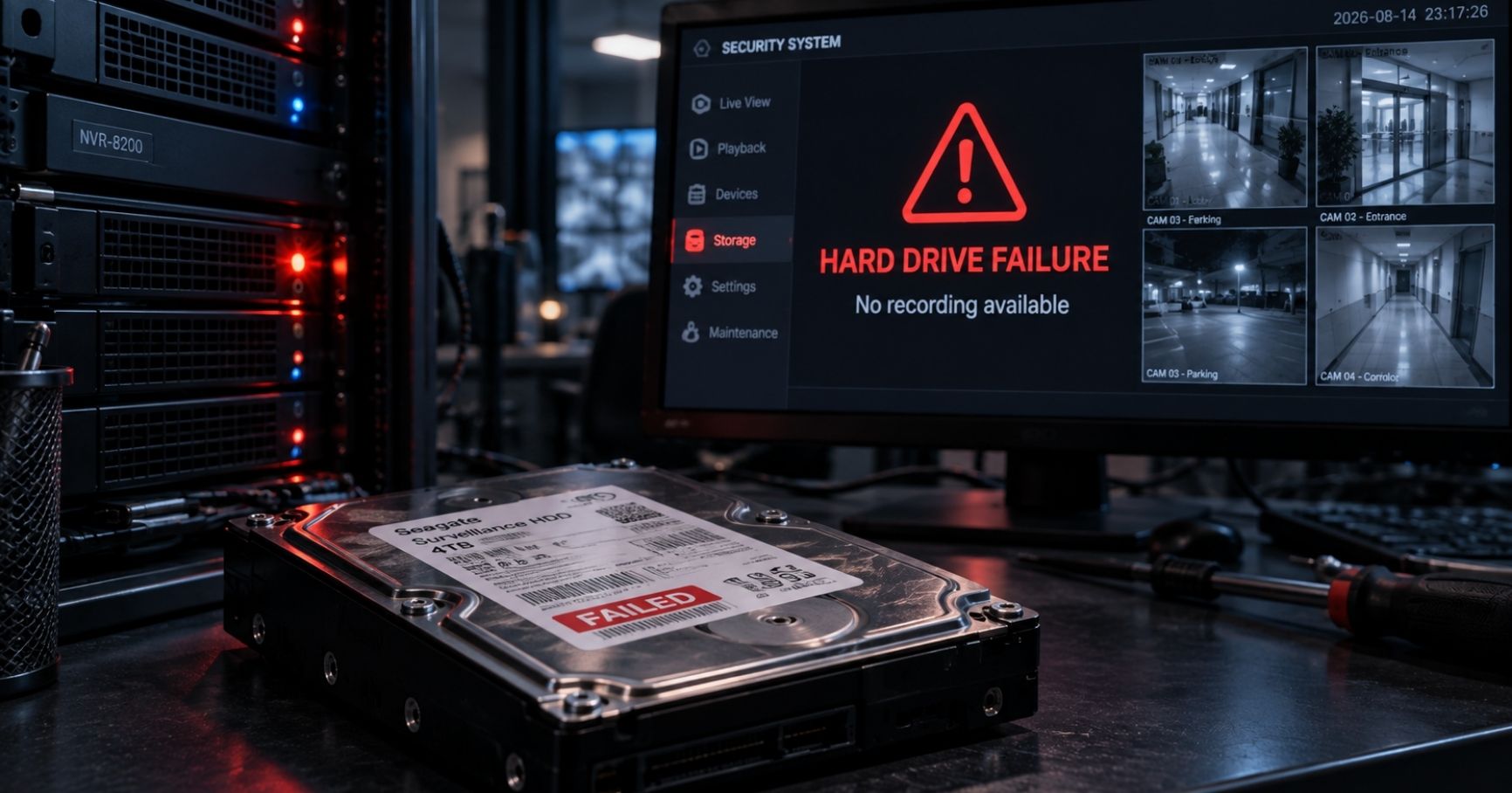
When a security alarm is triggered, the response should not simply be:
Alarm received → send a guard.
A properly managed security operation should follow a defined process:
Detect → Receive → Verify → Classify → Escalate → Respond → Document → Review
The objective is to determine quickly:
- what happened;
- where it happened;
- whether the event is genuine;
- how serious it is;
- who needs to respond;
- what action was taken; and
- whether anything should change afterwards.
Technology provides the event.
The security operation determines what that event means and what should happen next.
What Happens After a Security Alarm Is Triggered?
The exact response depends on the type of alarm and the property.
But the fundamental process should be consistent.
- Detect
A security system identifies an event.
For example:
- Door Forced;
- intrusion sensor;
- panic alarm;
- perimeter alarm;
- video analytic;
- camera offline;
- recorder fault.
- Receive
The event reaches:
an on-site security operation, remote monitoring centre or GSOC.
- Verify
The operator uses available information to determine what is happening.
This may include:
CCTV, access-control records, intercom, site information or contacting someone at the property.
- Classify
The operator determines the event’s significance.
- Escalate
The right people are informed.
- Respond
An appropriate remote or physical response is initiated.
- Document
The event and actions are recorded.
- Review
Significant or recurring events are analysed for improvement.
That is the difference between:
receiving alarms
and
managing security events.
Why Is Alarm Verification Important?
An alarm tells us:
something happened.
It does not always tell us:
what actually happened.
Consider a perimeter intrusion alarm.
The alarm might have been caused by:
- an intruder;
- an authorised contractor;
- an animal;
- vegetation;
- weather;
- maintenance activity;
- a sensor problem.
Sending a responder to every alarm without verification can create unnecessary:
cost, workload and delay.
Where verification is available, the operator can first determine what appears to be happening.
What Is Security Alarm Verification?
Alarm verification is the process of reviewing additional information before deciding what response is appropriate.
Depending on the system, verification may use:
CCTV
View the relevant location.
Access Control
Check whether an authorised credential was used.
Intercom
Communicate with the person involved.
Multiple Sensors
Determine whether other alarms support the original event.
Site Contact
Confirm whether authorised activity is taking place.
Verification does not mean delaying every response indefinitely.
High-risk events may require immediate escalation while verification is occurring.
Example: Door Forced Alarm
A secured server-room door generates:
Door Forced.
A managed security operation might follow this sequence.
Receive
Operator receives:
Door Forced – Level 5 Server Room.
Verify
Associated camera automatically or manually displays the door.
Access-control history is checked.
Scenario A
Operator sees:
authorised IT staff.
Further investigation shows the door contact generated an incorrect event.
Response:
technical investigation.
Scenario B
Operator sees:
unknown person forcing entry.
Response:
immediate security escalation and physical response.
Same alarm name.
Very different situation.
Example: Door Held Open
A Door Held event may be less urgent than a forced entry, but it should still have a defined response.
The operator may check the associated camera.
Situation A
Delivery personnel are moving equipment through the door.
Possible response:
contact site and confirm authorised activity.
Situation B
Door has been deliberately wedged open and no authorised activity is present.
Possible response:
request immediate closure and investigate why the secure boundary was defeated.
The value comes from understanding the context rather than simply acknowledging the alarm.
Example: Perimeter Intrusion
Suppose an industrial site’s perimeter sensor activates after hours.
The monitoring operation receives:
Perimeter Intrusion – North Boundary Zone 3.
Relevant cameras show:
Case A
A tree branch moving across the detection area.
Response:
record nuisance alarm and raise a maintenance/tuning issue.
Case B
A person climbing the fence.
Response:
escalate immediately and initiate the site’s physical-response procedure.
The detection technology has performed only the first part of the security process.
Example: Panic or Duress Alarm
A panic or duress event should normally receive a much higher operational priority.
Depending on the approved site procedure:
Panic alarm received
↓
Relevant cameras presented
↓
Operator assesses available information
↓
Supervisor / response resources alerted
↓
Emergency escalation initiated where required
A critical event should not be buried amongst:
camera faults and routine access transactions.
Alarm prioritisation matters.
Security Alarms Should Have Priorities
Not every event requires the same response.
A practical model might classify events into categories such as:
Priority | Typical Meaning | Example |
|---|---|---|
Critical | Immediate threat or emergency | Duress, confirmed intrusion |
High | Serious security event | Door Forced at Critical Area |
Medium | Requires investigation | Door Held, repeated access denial |
Technical | Security-system degradation | Camera offline, recorder fault |
Information | Record only | Normal authorised access |
This is an example.
Each property should define priorities according to:
risk, operational importance and response capability.
Why Alarm Priorities Matter
Imagine a monitoring centre receives simultaneously:
- camera offline;
- visitor intercom call;
- Door Held at office pantry;
- panic alarm;
- recorder low-storage warning.
If all five appear exactly the same way, the operator must decide manually what matters first.
A properly designed operation makes the priority clear.
The operator should immediately understand:
what requires action now.
Not Every System Event Should Become an Alarm
Security systems generate large amounts of data.
Examples include:
- valid card access;
- door opened;
- camera bitrate change;
- system login;
- device restart;
- user administration events.
Many should be:
logged
rather than:
presented for immediate operator action.
A useful distinction is:
Transaction
Normal activity.
Warning
Something abnormal but not necessarily urgent.
Security Alarm
Potential security issue.
Technical Fault
System capability may be degraded.
Critical Event
Immediate attention required.
Without this separation, operators can become overwhelmed.
What Is Alarm Fatigue?
Alarm fatigue occurs when operators receive so many alerts that their ability to respond meaningfully begins to decline.
This can happen when:
- thresholds are poorly configured;
- sensors generate nuisance alarms;
- every event has the same priority;
- duplicate alarms are generated;
- faulty equipment repeatedly alarms;
- unnecessary notifications are enabled.
Eventually, operators may begin to:
automatically acknowledge events
rather than investigate them.
That is a serious operational weakness.
More Alarms Do Not Mean Better Security
A system generating:
1,000 alarms per day
is not necessarily more secure than one generating:
30 meaningful alarms.
The key questions are:
Are the alarms useful?
Are they actionable?
Are operators able to investigate them?
Do they lead to an appropriate response?
Security operations should optimise:
alarm quality
rather than simply alarm quantity.
What Is Event Correlation?
Event correlation means using multiple related events to understand what is happening.
For example:
Event 1
Access Denied.
Event 2
Access Denied again.
Event 3
Door Forced.
Event 4
CCTV shows unknown person entering.
Individually, the first access denial may not be significant.
Together, the sequence strongly suggests a more serious event.
A managed operation should be able to recognise patterns rather than treating every alarm as completely independent.
Repeated Events Can Be More Important Than a Single Event
Consider:
one invalid card attempt.
This may simply be:
a person using the wrong card.
But:
15 invalid attempts at a restricted room within two minutes
may deserve greater attention.
Likewise:
one Door Held event
may be operational.
But:
Door Held every night at the same entrance
may reveal a process or security problem.
Managed security should identify these patterns.
What Is a Security Monitoring Centre?
A security monitoring centre receives and handles security events from one or more locations.
Depending on scope, it may monitor:
- CCTV;
- access control;
- intrusion detection;
- intercom;
- panic alarms;
- technical system health.
The centre may be:
on-site
or
remote.
A larger central operation supporting many locations may be referred to as a GSOC, or Global Security Operations Centre.
What Does a GSOC Actually Do?
A GSOC can provide more than video monitoring.
Typical functions may include:
Event Monitoring
Receive security alarms from connected sites.
Verification
Use CCTV and other information to understand the event.
Escalation
Contact the appropriate person or response resource.
Incident Coordination
Track significant events until resolution.
System Health
Identify selected technology failures.
Multi-Site Visibility
Monitor several properties using a consistent process.
Reporting
Produce incident and performance information.
The exact scope depends on the organisation and service agreement.
A GSOC Should Not Just Be People Watching Cameras
The traditional image of a security control room is:
rows of CCTV screens with operators staring at them continuously.
That may still have a place for certain operations.
But modern security operations increasingly focus on:
event-driven monitoring.
The technology identifies events requiring attention.
The operator concentrates on:
verification and response.
This allows human attention to be directed where it is most valuable.
Remote Monitoring Versus On-Site Monitoring
Both models have advantages.
On-Site Monitoring
The operator has:
- local knowledge;
- immediate communication;
- proximity to response personnel;
- direct understanding of site activity.
Remote Monitoring
A central operation can provide:
- specialist monitoring;
- multi-site coverage;
- centralised procedures;
- after-hours support;
- more efficient use of operator resources.
Hybrid Monitoring
Many properties benefit from combining both.
For example:
on-site security during high-activity periods
and
remote monitoring after hours.
The right model depends on the property’s operations and risk.
Remote Monitoring Does Not Mean Remote Response Only
A remote operator can:
- assess;
- communicate;
- escalate;
- remotely control authorised functions where permitted.
But some events require:
someone physically present.
This means a remote monitoring service needs a defined physical-response model.
Who Should Respond to a Verified Security Incident?
Possible response resources include:
- on-site security officers;
- mobile security response;
- building management;
- facilities personnel for selected non-security events;
- emergency services where appropriate.
The correct choice depends on:
the event and the site.
The important thing is that the response has been decided before the incident occurs.
A Remote Monitoring Service Without a Response Plan Is Incomplete
Imagine a monitoring centre confirms:
unknown person has entered the building after hours.
The operator now knows exactly what is happening.
But nobody knows:
who should attend.
The technology has succeeded.
The operation has failed.
Every monitored property should therefore have a documented:
escalation and response matrix.
What Is an Escalation Matrix?
An escalation matrix defines:
who should be contacted, under what circumstances and in what order.
For example:
Event | First Action | Escalation |
|---|---|---|
Door Held | Verify | Contact site if unresolved |
Camera failure | Confirm fault | Technical support |
Door Forced | Verify immediately | Site security / supervisor |
Confirmed intrusion | Immediate escalation | Response resource |
Panic alarm | Emergency procedure | Designated emergency contacts |
Recorder failure | Technical verification | Urgent maintenance |
The exact process should be tailored to each property.
Escalation Needs More Than One Contact
A good escalation plan should account for:
What happens if the first person does not answer?
For example:
Primary
Building security supervisor.
Secondary
Managing Agent duty contact.
Tertiary
Property manager or authorised alternative.
The response should not stop because:
one mobile phone went unanswered.
Escalation Should Include Time Limits
The operation may define:
Contact Person A.
If no answer within an appropriate period:
move to Person B.
High-priority events may require immediate parallel escalation rather than waiting.
The exact timings depend on:
incident severity and site procedure.
The broader principle is:
Escalation should be procedural, not improvised.
Physical Response Time Is Part of Security Performance
Suppose:
alarm received in 5 seconds.
verified in 20 seconds.
escalated in another 30 seconds.
But the physical responder takes:
45 minutes to arrive.
The complete response took far longer than the alarm technology suggests.
Security performance should therefore consider:
end-to-end response
rather than only:
alarm receipt time.
The Full Response Time
A useful conceptual model is:
Total Response Time=Detection+Transmission+Verification+Escalation+Physical Response
Not every incident requires physical attendance.
But where it does, all these stages affect the outcome.
This is particularly important when comparing:
on-site
versus
remote/mobile response models.
What Is Remote Intervention?
Some incidents can be addressed remotely.
Examples may include:
- speaking through an intercom;
- remotely contacting occupants;
- remotely granting authorised access;
- notifying a person that an area is monitored;
- contacting building management.
Remote intervention can sometimes resolve an event without dispatch.
But it should be used only where:
appropriate and authorised.
Remote Access Control Needs Clear Authority
A monitoring operator should not release doors simply because:
someone asks.
The service should define:
- who may request access;
- how identity is verified;
- which doors may be released remotely;
- what hours apply;
- what records are kept.
This is especially important at:
residential properties and commercial buildings.
Visitor Calls Should Not Become Security Decisions Without Rules
A person may tell the remote intercom operator:
“I’m here to visit Unit 10-01.”
That does not necessarily mean the operator should grant access.
A clear visitor procedure may require:
resident confirmation
or
valid pre-registration.
The monitoring operation should implement the building’s access policy rather than invent it.
What Happens When the Monitoring Centre Loses Connection to the Building?
Remote monitoring creates dependence on communications.
If the connection fails:
the property should enter a defined degraded operating mode.
Questions include:
Does CCTV continue recording locally?
Does access control continue working?
Do intrusion alarms continue locally?
Who is notified?
Is an on-site person required temporarily?
Is a secondary connection available?
The technical design belongs in the security infrastructure architecture.
Operationally, the important point is:
someone must know what happens next.
Connectivity Loss Should Be an Event
If a monitored site disappears from the remote platform, that itself may be important.
The operator should not discover:
the site has been offline for six hours
only because somebody calls asking for footage.
Depending on the platform and service level, communication failures should be monitored and escalated appropriately.
Technical Faults Are Security Events Too
Not every important alarm represents an intruder.
A security system failure can reduce protection.
Examples include:
- camera offline;
- recorder failure;
- storage fault;
- access controller offline;
- intrusion panel fault;
- UPS failure;
- connectivity loss.
These require technical response rather than security dispatch.
But they still matter operationally.
Technical Alarm Priority Should Follow Security Impact
Suppose:
Camera A
General landscaping view.
Offline.
Camera B
Only camera covering the main entrance identification zone.
Offline.
The security impact is different.
Similarly:
one non-critical door controller offline
versus
a controller serving multiple Critical Areas.
A managed security operation can prioritise technical faults according to their effect on:
security capability.
What Happens While a Critical Security System Is Faulty?
A good operation should consider temporary mitigation.
For example:
critical camera offline.
Possible temporary measure:
increased physical checks of the area.
Or:
access-control failure at a secure entrance.
Possible temporary measure:
controlled manual access procedure.
The exact mitigation depends on the property.
The principle is:
Do not simply wait for the technician if the fault creates a significant security gap.
Incident Handling Should Continue Until Resolution
An operator acknowledging an alarm should not automatically mean:
job completed.
A mature workflow distinguishes between:
Received
System detected event.
Acknowledged
Operator has seen it.
Verified
Operator understands what appears to be happening.
Escalated
Relevant party informed.
Responding
Action underway.
Resolved
Immediate issue addressed.
Closed
Documentation completed.
This provides much better operational visibility.
What Should Be Recorded in a Security Incident?
For meaningful incidents, useful information may include:
- date and time;
- site;
- exact location;
- alarm type;
- verification method;
- persons contacted;
- operator actions;
- response dispatched;
- arrival time where relevant;
- outcome;
- related CCTV reference;
- follow-up requirement.
The level of documentation should be proportionate to the incident.
Why Incident Documentation Matters
Incident records support:
- investigations;
- management reporting;
- recurring-problem identification;
- service review;
- insurance or legal requirements where applicable;
- training;
- procedural improvement.
A good incident log tells management:
what happened and what was done about it.
Not simply:
“Alarm acknowledged.”
Significant Events Should Preserve Relevant Evidence
Where an event may require later investigation, the operation should ensure relevant information is preserved according to the organisation’s procedures.
This may include:
- CCTV footage;
- access-control records;
- alarm timestamps;
- operator notes;
- communications.
Evidence handling should follow the organisation’s legal and internal requirements.
When Should an Incident Become a Management Issue?
Not every alarm needs senior management involvement.
Escalation may be based on:
- severity;
- impact;
- recurrence;
- safety;
- loss;
- operational disruption;
- reputational significance.
For example:
one routine Door Held event
may stay operational.
Repeated unauthorised access attempts at a sensitive room
may need management review.
Recurring Alarms Should Trigger Root-Cause Analysis
Suppose one loading-bay door generates:
120 Door Held alarms per month.
It is easy to blame users.
But the real cause might be:
- inadequate door-held timer;
- poor delivery process;
- faulty closer;
- operational requirement to keep the door open;
- staff deliberately bypassing security.
The correct response is:
investigate why
rather than:
continue acknowledging alarms forever.
False Alarms Should Be Measured
A high false-alarm rate can consume large amounts of monitoring resources.
For each recurring alarm type, management should ask:
How many alarms occur?
How many are genuine?
Why are the others occurring?
Can the system be tuned?
Does the detection method need redesign?
This can materially improve security operations.
What Should a Security Monitoring SLA Measure?
Service Level Agreements should reflect the actual service being delivered.
Possible measures include:
Alarm Acknowledgement Time
How quickly did an operator take ownership?
Verification Time
How quickly was the event assessed?
Escalation Time
How quickly was the appropriate person contacted?
Technical Fault Response
How quickly was a critical system failure acted upon?
Availability
Was the monitoring service available as agreed?
Reporting
Were required reports produced on time?
The correct SLA depends on the contract and risk.
Do Not Confuse SLA With Security Outcome
A monitoring centre can technically meet:
30-second alarm acknowledgement
and still provide a poor security service if:
the operator acknowledges the alarm
but
does nothing useful afterwards.
Metrics therefore need to measure both:
speed
and
quality of action.
Useful Managed Security KPIs
A broader performance review may include:
KPI | What It Indicates |
|---|---|
Alarm acknowledgement time | Monitoring responsiveness |
Verification time | Operator effectiveness |
Escalation time | Response coordination |
Number of critical incidents | Security activity |
False/nuisance alarm rate | Detection quality |
Repeat alarm locations | Recurring weakness |
Camera availability | CCTV operational health |
Access-control availability | Access system health |
Critical faults outstanding | Security degradation |
Mean fault resolution time | Maintenance effectiveness |
Physical-response time | Response effectiveness |
Incidents unresolved | Operational backlog |
Not every client needs every metric.
Use measures that help management improve the service.
Why “Number of Alarms” Alone Is a Poor KPI
A report that says:
7,843 alarms received this month
does not tell the building owner whether the property was secure.
Better questions are:
How many were genuine?
How many required intervention?
Which locations generated most alarms?
Which were false?
How quickly were critical alarms handled?
Are any problems recurring?
Data needs interpretation.
Monthly Security Reports Should Answer Management Questions
A useful managed security report might include:
Significant Incidents
What happened?
Alarm Trends
What repeatedly triggered?
Technical Availability
Were important systems operating?
Response Performance
Were events handled according to procedure?
Outstanding Issues
What still needs action?
Recommendations
What should be improved?
The report should support decisions.
Not simply demonstrate that the monitoring centre generated statistics.
A Monthly Review Should Look for Patterns
For example:
Month 1
10 Door Forced alarms at loading bay.
Month 2
Month 3
A good security review asks:
Why is this increasing?
Likewise:
Camera outages
same switch every month.
That may reveal:
an infrastructure problem rather than multiple independent camera failures.
The value of managed security lies partly in recognising such patterns.
When Should the Security Model Be Changed?
Security operations should evolve when:
- the building changes use;
- occupant numbers increase;
- visitor volumes change;
- incidents reveal weaknesses;
- technology reaches end of life;
- recurring alarms indicate poor design;
- new areas become critical;
- manpower availability changes;
- response requirements change.
A managed operation should not remain frozen simply because:
this is how the original contract was written.
How Should an MCST Review Alarm Monitoring?
MCSTs should ask:
- Which security alarms are actually monitored?
- Who receives them?
- Is monitoring 24/7 or only during certain hours?
- How are alarms verified?
- Who may remotely release access?
- Who responds physically?
- What happens if nobody answers the escalation call?
- What happens if Internet connectivity fails?
- How are system faults handled?
- How quickly are critical faults repaired?
- Are false alarms measured?
- Are recurring problems reported?
- Are resident complaints linked to security incidents?
- Does the monthly report provide useful information?
- Is the monitoring service reducing or simply shifting workload?
What Should Managing Agents Ask?
Managing Agents need practical clarity.
Ask:
Who calls me?
Under what circumstances?
At what time?
Which events are handled without involving me?
What requires my approval?
Who contacts residents or tenants?
Who contacts the maintenance contractor?
Who dispatches security?
Who closes the incident?
Where can I see the final report?
A managed service should reduce uncertainty.
What Should Security Managers Ask?
Security managers should focus on whether the operation actually reduces risk.
Questions include:
- Are event priorities risk-based?
- Are alarms verified effectively?
- Are escalation paths clear?
- Is operator workload reasonable?
- Are high-risk events tested periodically?
- Are critical technology faults visible?
- Are incidents documented consistently?
- Are repeated events analysed?
- Are response times measured end to end?
- Are sites applying procedures consistently?
- Do remote and on-site teams work as one operation?
Should Every Alarm Be Verified by CCTV?
No.
Some events may not have an associated camera.
Others may require:
immediate action without waiting for video confirmation.
And CCTV may itself be unavailable.
Verification methods should therefore be appropriate to:
the event and site.
The important principle is:
Use the best available information without creating unnecessary delay.
Can an Alarm Be Automatically Cleared?
Some technical events may restore automatically when the condition disappears.
But important security incidents may still require:
operator acknowledgement, investigation or documentation.
An alarm returning to normal does not necessarily mean:
nothing happened.
For example:
a forced door opens and then closes.
The contact has returned to normal.
The security event still requires review.
Should Operators Be Able to Ignore Alarms?
Operators should be able to distinguish:
low-value events
from
events requiring immediate action.
But repeated manual suppression of nuisance alarms is not a good long-term solution.
If an alarm is consistently irrelevant:
fix the configuration, process or sensor.
Do not make ignoring alarms part of normal operations.
How Can Security Monitoring Reduce Manpower?
Monitoring can reduce the need for dedicated personnel performing:
continuous passive observation.
For example:
instead of one officer at each site watching CCTV,
a remote operation may verify selected alarms across several properties.
But this works only when:
- alarms are meaningful;
- systems are reliable;
- escalation is clear;
- physical response is available;
- operators are not overloaded.
Remote monitoring is therefore an operating model, not merely a camera connection.
What Should Remain On-Site?
Even with strong remote monitoring, some buildings may still require personnel for:
- immediate physical response;
- resident or tenant interaction;
- high-volume visitor management;
- vehicle management;
- emergency assistance;
- physical enforcement;
- complex contractor operations.
The combination should reflect the actual site.
A Practical End-to-End Example
Consider a condominium using:
- access control;
- CCTV;
- perimeter detection;
- video intercom;
- remote monitoring;
- reduced on-site security.
At 02:15:
- Detection
Perimeter sensor activates.
- Receipt
Remote monitoring receives:
North Boundary Intrusion.
- Verification
Associated camera appears.
Operator sees an unknown person climbing into the property.
- Classification
Event classified as:
High-priority confirmed intrusion.
- Escalation
On-site responder and designated duty contact are notified.
- Response
Responder attends the location.
Monitoring centre maintains CCTV observation and updates the responder on movement.
- Resolution
Individual leaves / situation is managed according to site procedure.
- Documentation
Incident report records:
alarm, video verification, contacts, response and outcome.
- Review
Management later examines:
how the intrusion occurred and whether physical or procedural improvements are needed.
This demonstrates why:
alarm monitoring is a process, not a notification.
A Practical Technical-Fault Example
At 11:00:
Event
Main entrance camera goes offline.
System
Technical alarm generated.
Operator
Confirms:
camera unavailable.
Risk Assessment
This is the only identification camera for the main entrance.
Escalation
Fault treated as:
urgent technical issue
rather than ordinary maintenance.
Temporary Mitigation
On-site personnel may be advised to provide additional attention to the entrance until repair.
Maintenance
Technician resolves issue.
Closure
Camera view and recording are verified before incident closes.
That is managed security.
The service manages:
the loss of capability
not just:
the defective camera.
The Managed Security Response Model
A useful PATH framework is:
Detect
Technology identifies a condition.
Verify
Determine what appears to be happening.
Classify
Determine significance.
Escalate
Inform the right people.
Respond
Take appropriate action.
Resolve
Restore the site to normal.
Document
Record what happened.
Review
Learn and improve.
This model can be applied to:
security incidents
and
critical technical failures.
Common Security Monitoring Mistakes
Treating every event as an alarm
Creates overload.
Giving every alarm the same priority
Makes critical events harder to identify.
Monitoring without video or other verification where it would be useful
Increases unnecessary dispatch.
Assuming CCTV verification means no physical response is needed
Some incidents still require attendance.
No secondary escalation contacts
One unanswered call stops the response.
Measuring only alarm acknowledgement
Does not show whether useful action occurred.
Clearing events before resolution
Creates hidden outstanding issues.
Ignoring repeated false alarms
Wastes resources and reduces operator confidence.
Treating equipment failure only as a maintenance issue
Critical faults can create immediate security exposure.
Remote monitoring with no degraded-mode plan
Connectivity failure can leave the building without expected coverage.
Producing reports full of numbers but no analysis
Management learns nothing.
Never reviewing the incident afterwards
The same security weakness remains.
A Practical Security Monitoring Checklist
Building owners, MCSTs, Managing Agents and security managers should be able to answer:
- What security events are monitored?
- Which events are only logged?
- What priority is assigned to each alarm?
- Who receives the alarm?
- Is monitoring local, remote or hybrid?
- Is monitoring continuous or scheduled?
- How is each important alarm verified?
- What happens if CCTV verification is unavailable?
- Which events require immediate escalation?
- Who is the primary site contact?
- Who is the secondary contact?
- What happens if nobody answers?
- Who provides physical response?
- What response time is expected?
- Which incidents can be handled remotely?
- Who may authorise remote door release?
- What happens if the site loses connectivity?
- What happens if the monitoring platform fails?
- Are critical technical faults monitored?
- Is temporary mitigation defined for major faults?
- Are false alarms measured?
- Are recurring alarm locations identified?
- Are incidents documented?
- Is relevant evidence preserved?
- Are response times measured?
- Is alarm acknowledgement measured?
- Is verification time measured?
- Is escalation performance measured?
- Are outstanding incidents tracked?
- Are critical faults tracked to closure?
- Are monthly reports understandable?
- Do reports identify trends rather than only totals?
- Are recommendations followed up?
- Are procedures tested periodically?
- Does the monitoring model still match how the building operates?
Conclusion
A security alarm should never be the end of the process.
It is the beginning.
The real security function is what happens next:
Detect → Verify → Classify → Escalate → Respond → Resolve → Document → Review
Technology provides speed and visibility.
Remote security operations provide:
verification, judgement and coordination.
On-site resources provide:
physical response where required.
Maintenance protects the technology the operation depends upon.
Management review ensures the same weaknesses are not allowed to repeat indefinitely.
For building owners, MCSTs, Managing Agents and security managers, this means a monitoring service should be judged by more than:
“Are our alarms connected to a control room?”
The more useful questions are:
Does the operator understand the alarm?
Can it be verified quickly?
Does the right person get contacted?
Can someone respond if required?
Is the incident followed through to resolution?
Does management learn from what happened?
That is what turns alarm monitoring into a managed security operation.
From Manpower to Managed Security. One operator, total accountability.
Company
Resources